Coach in Zone 1.
Every locker room has a bell curve — Brian Kight calls it the Mountain of Average. Zone 1 is the exceptional edge past it. You ask your athletes to play there.
This is the system that helps you coach there: a 24/7 advisor, a voice-first journal, meetings on the record, content your program can run on — and a roster, so every one of them knows who you coach.
Free tier included — 5 Advisor prompts a day. No credit card.
On iPhone & Android
You coach everyone. Who coaches you?
The playbook is dialed. The film is cut. But the leadership work — the hard conversation, the parent email, the culture you promised yourself you'd build — lands on you alone, usually at night. And everything you actually know about your athletes lives in two places: your head, and a spreadsheet that was out of date by October.
Zone 1 puts a disciplined system behind that work: advice while the pressure is live, capture that keeps what you notice, meetings that turn talk into action, and materials that carry your standard. Four tools, one roster, one account — everywhere you work.
The coach finally gets a coach.
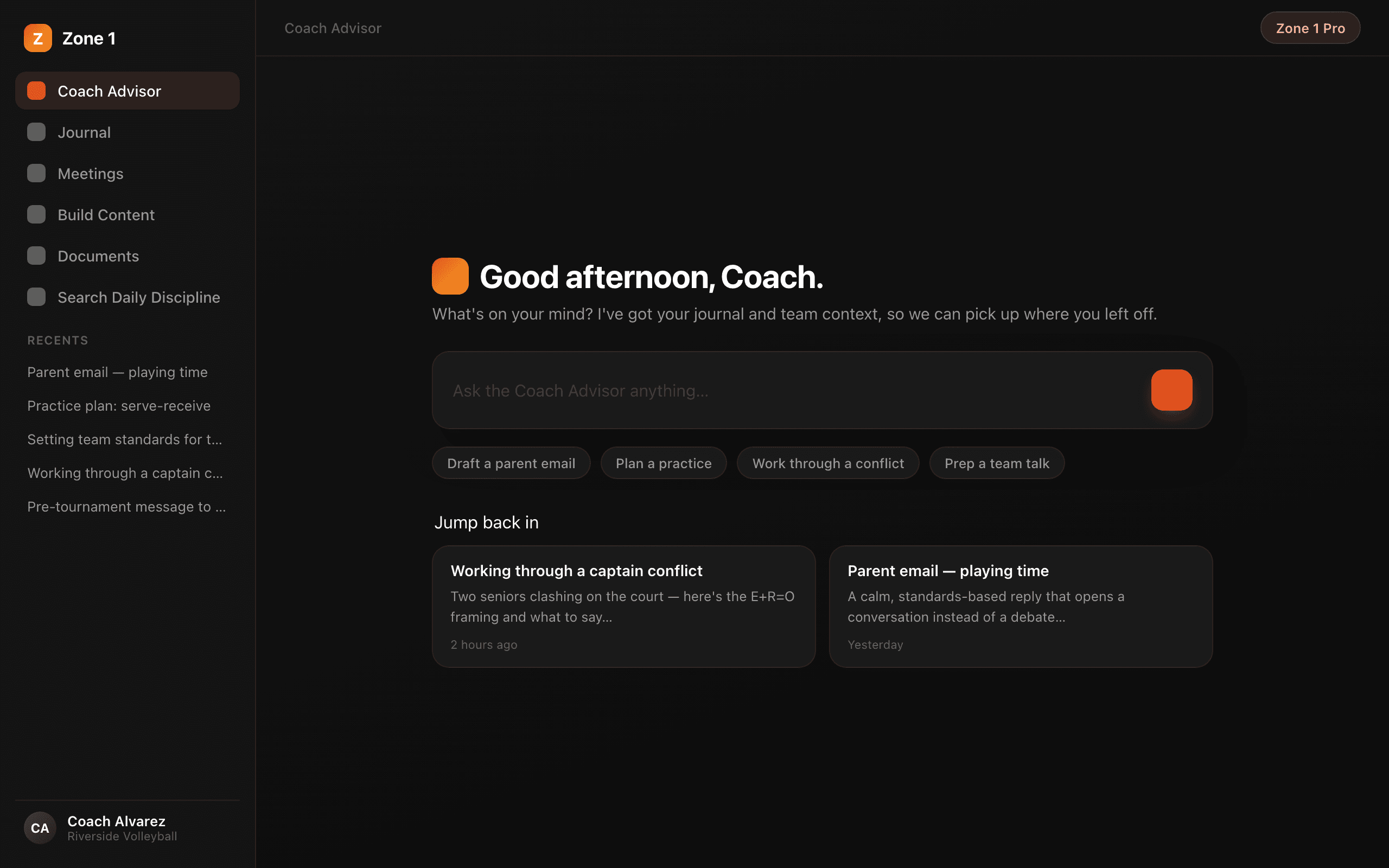
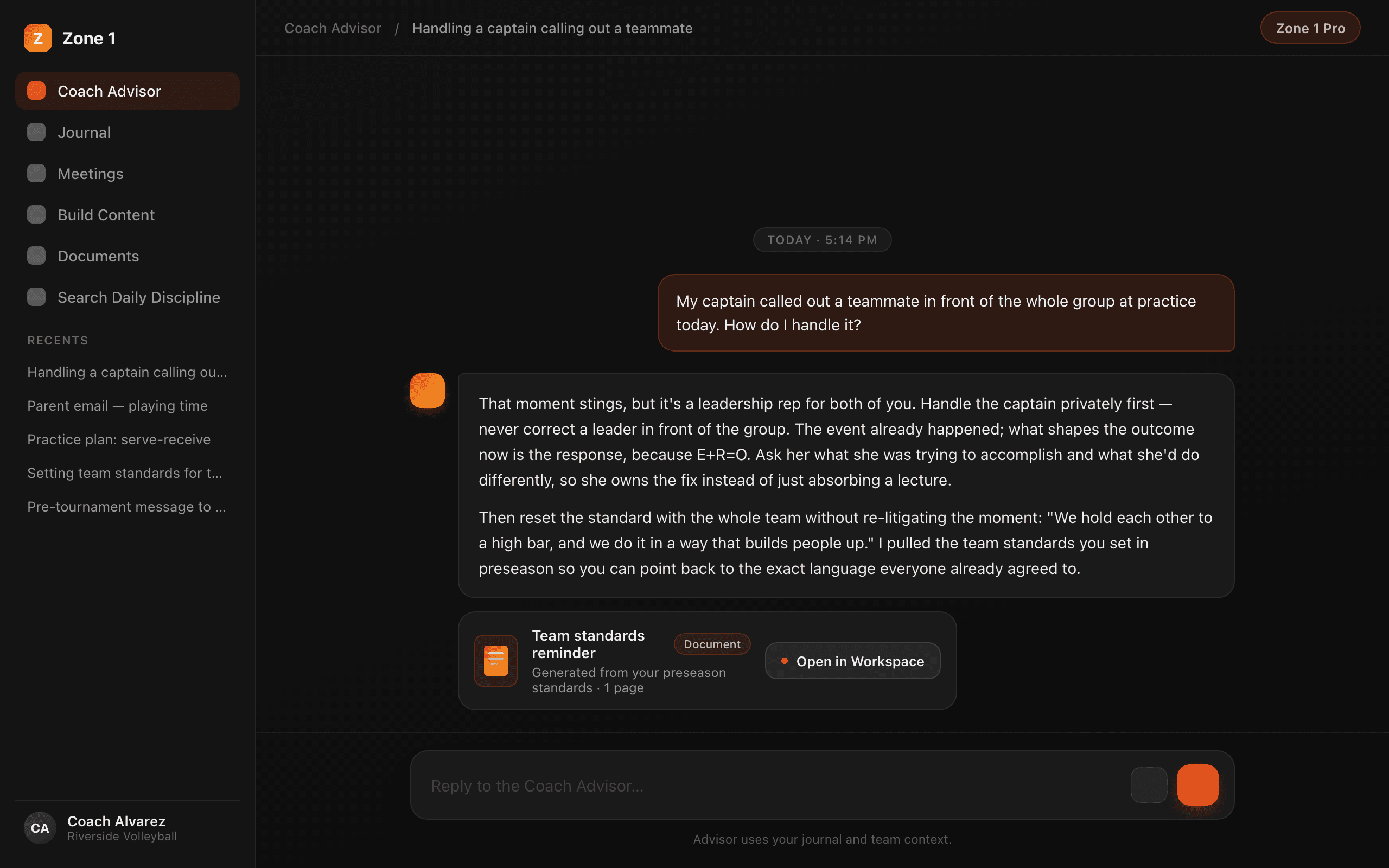
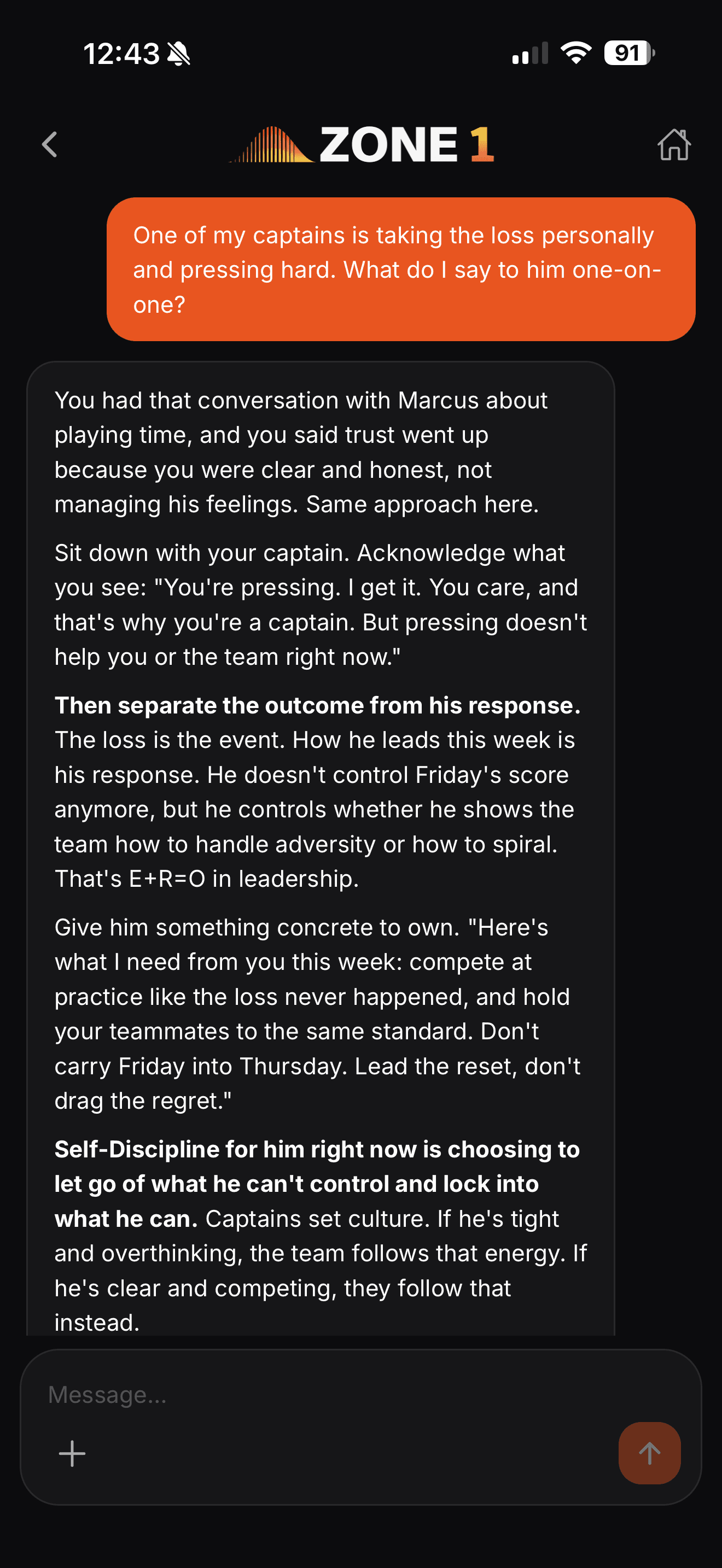
Bring the real situation — a player who quit on a drill, a parent email you have to get right, a staff problem you can't say out loud. The Advisor answers with specific, disciplined guidance built on Brian Kight's system: E+R=O, the Super Skills, and 30+ years of teaching. It knows your sport, your team, your standards — and your roster.
It runs the platform, too. Ask for a parent letter and it builds the document. Ask it to log a note and it writes the journal entry. The result lands in the conversation as a card you tap to open.
Talk. It writes. Nothing gets lost.
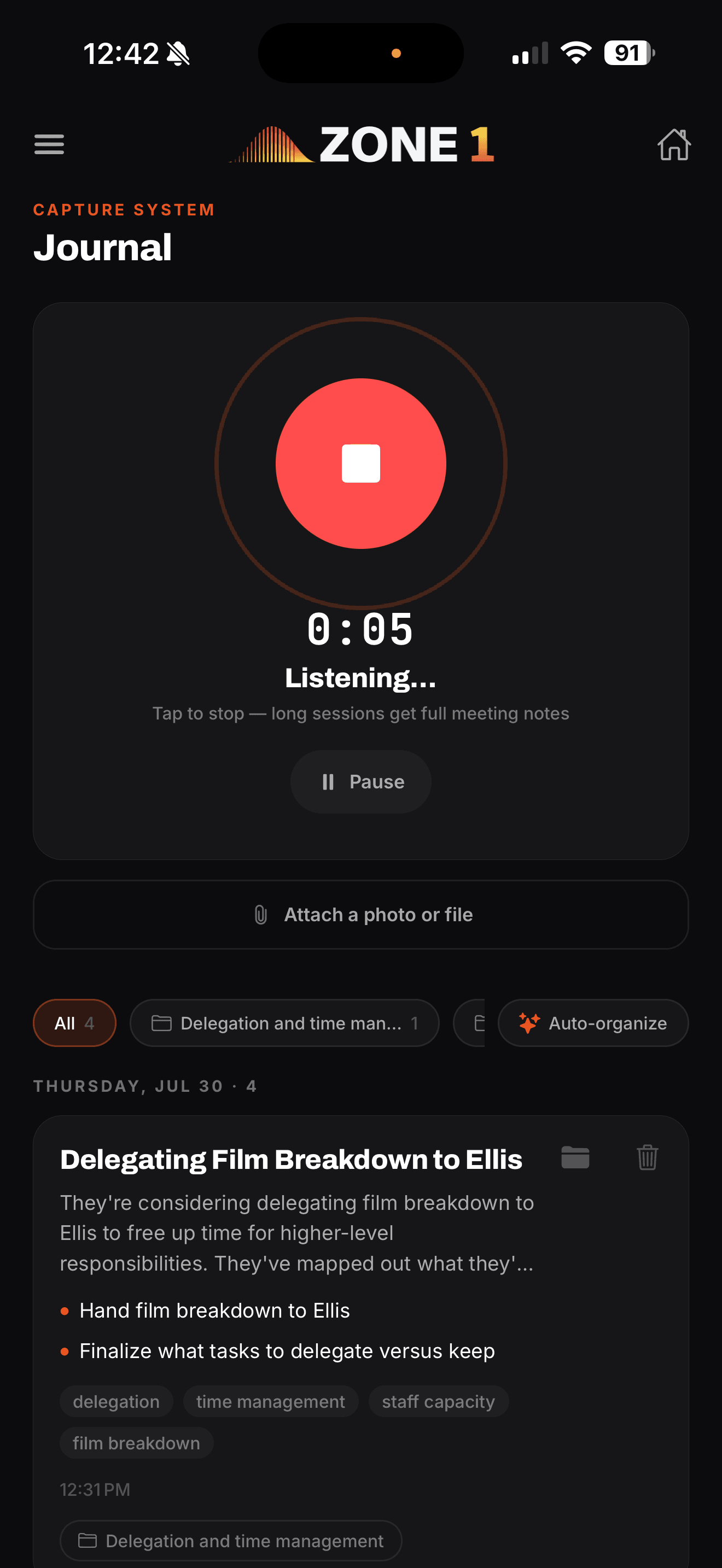
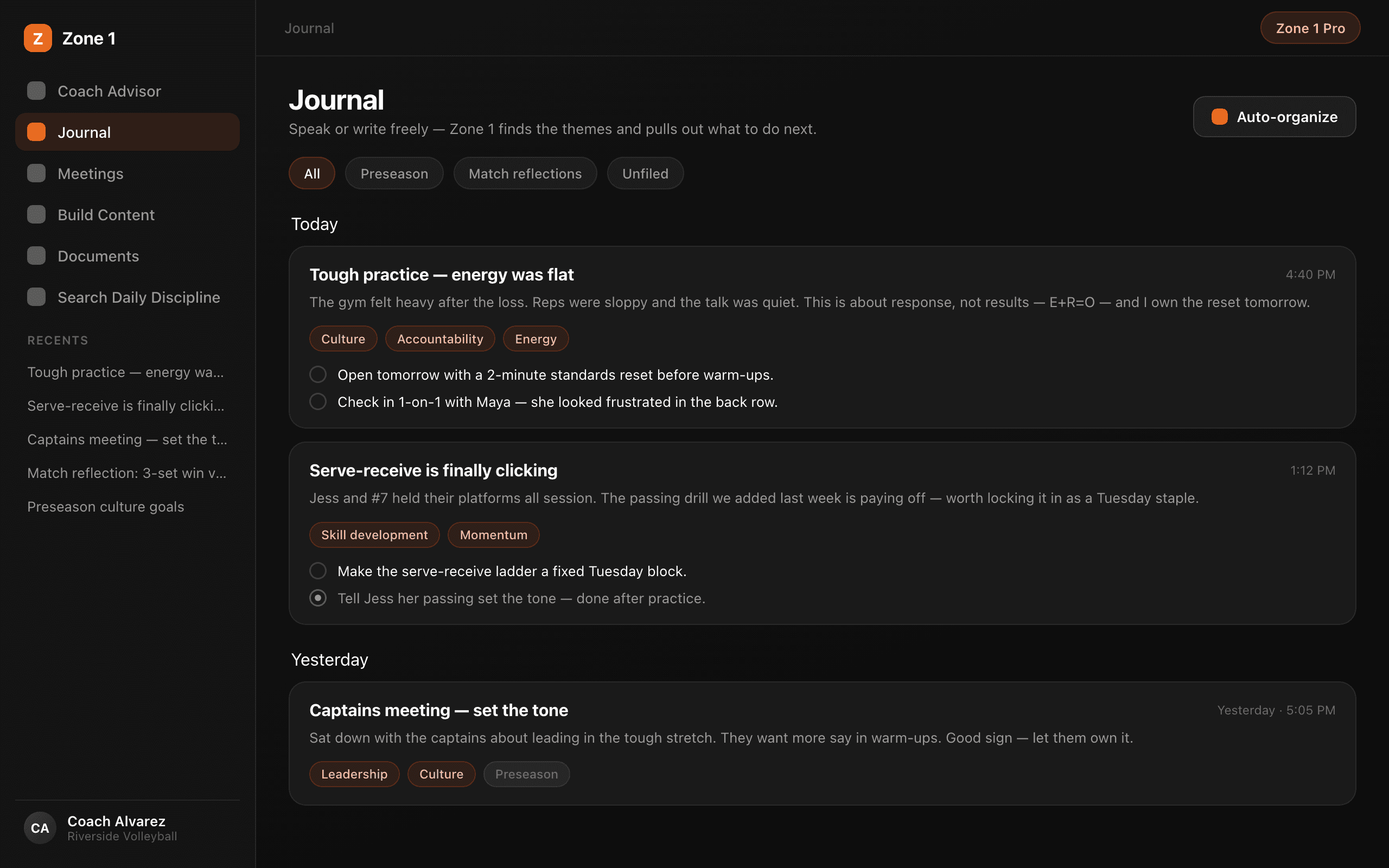
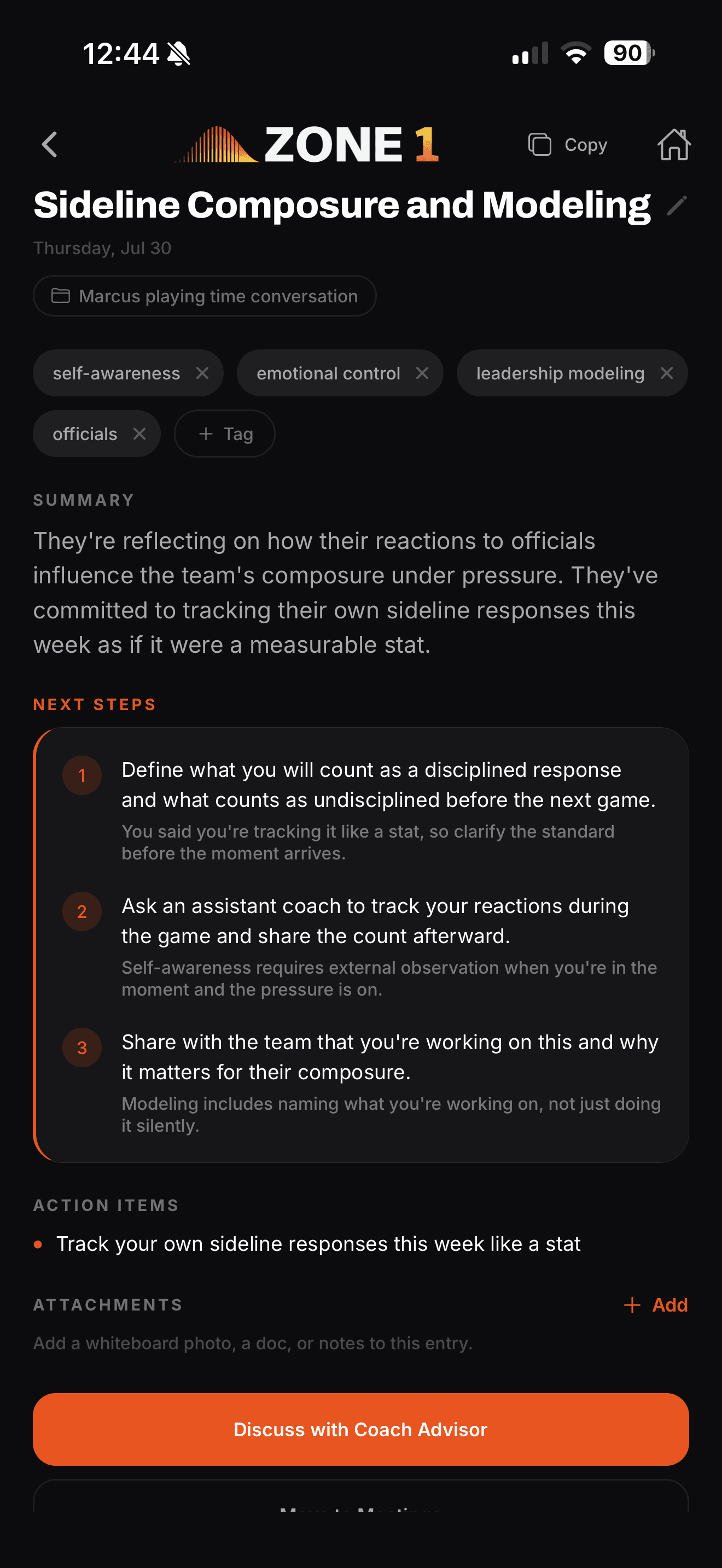
Hit record on the drive home and dump the day — the team, the player, the thing you don't want to forget. Every entry comes back with a title, a summary, themes, action items, and next steps. The full transcript opens as an editable document, and any entry can go straight into a conversation with the Advisor. Say a name and the note files itself to that athlete's record.
Recordings save on your device as you record. A dropped connection, a crashed tab, a closed laptop — the take is still there, and it retries until it's safely uploaded.
What got said becomes what gets done.
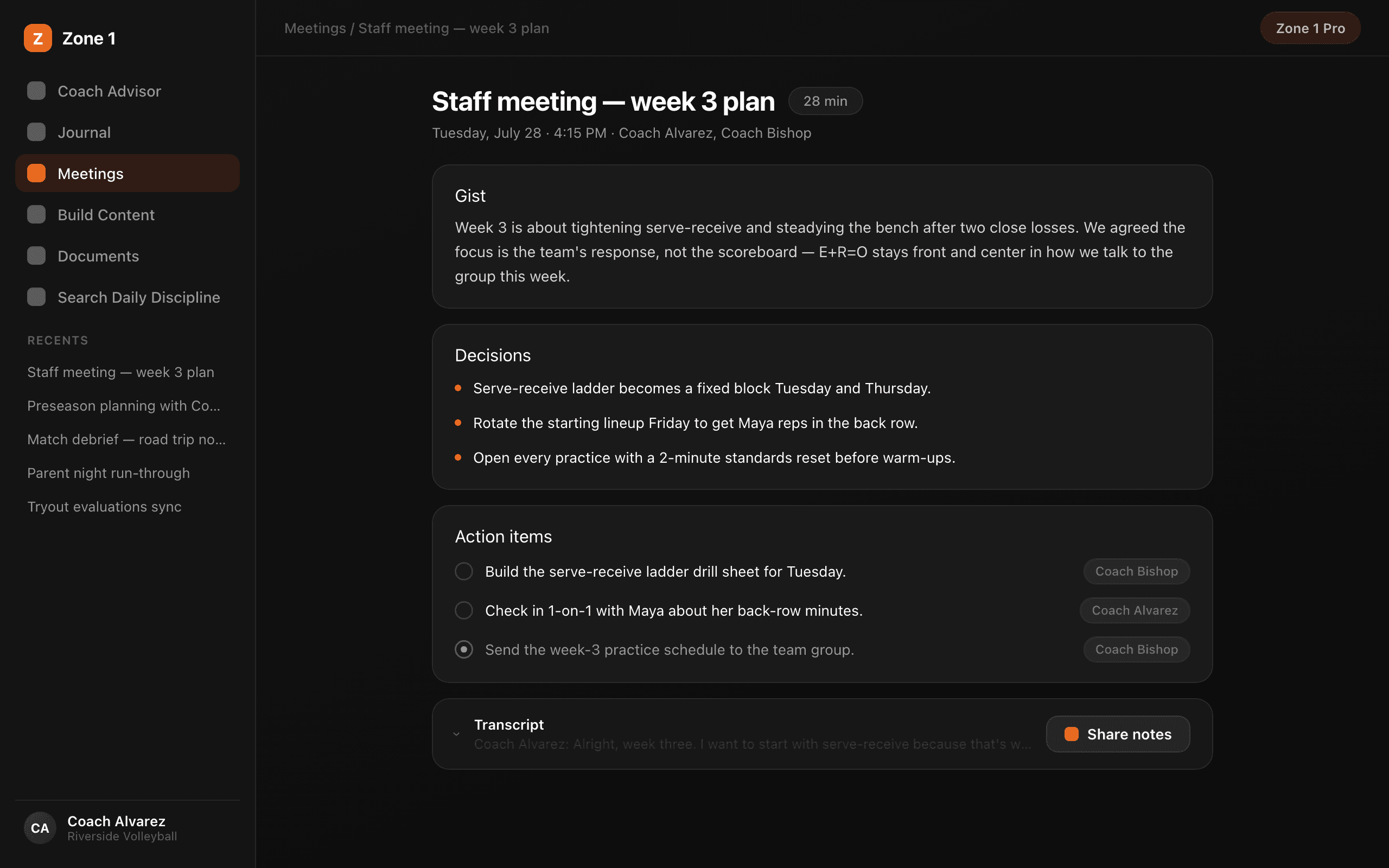
Record the staff meeting, the one-on-one, the film session. Zone 1 returns the full transcript plus the gist, the decisions, and the action items — your leadership on the record instead of lost in the room.
Long meetings process in the background while you move on to the next thing, and it runs on the same capture engine as the Journal — the take is saved as you record.
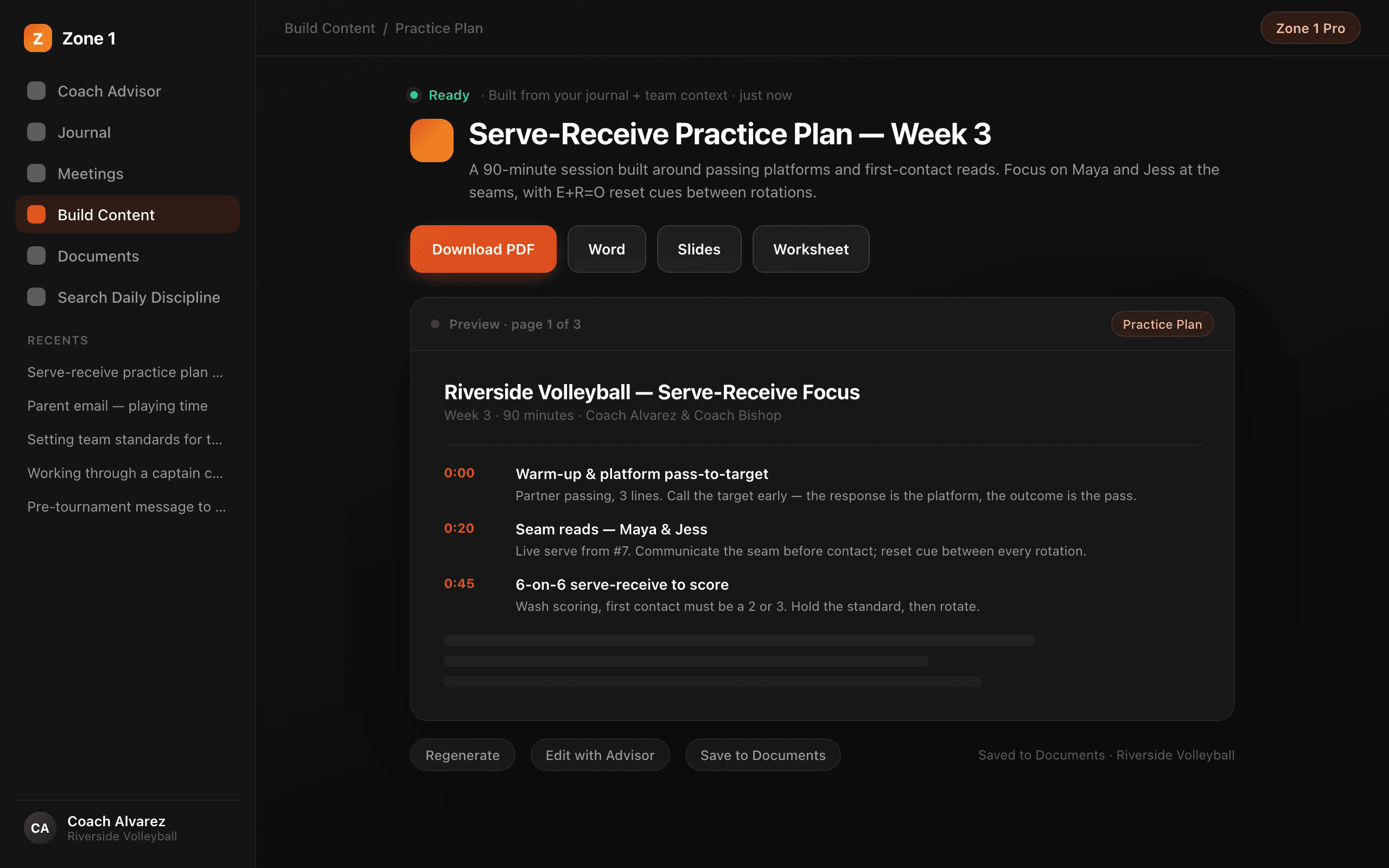
Your standard, in writing, in minutes.
Describe what you need and get a complete, formatted document in about one to three minutes. Eight document types: curriculum, team meetings, staff meetings, practice and game messaging, one-on-one guides, captains and leaders plans, parent letters, and custom. Start from a topic — or from one of BK's frameworks. A curriculum arrives as four files: PDF, Word, slides, and a worksheet.
Then make it yours in Edit Content: highlight any passage and expand it, rewrite it, simplify it, or turn it into numbered steps. Export as PDF, Word, or Markdown — and slide decks as PowerPoint.
Say a name. Zone 1 knows who you mean.
Roster gives the system a memory for who you coach. Import your list on Monday. By Tuesday your practice notes file themselves. By Thursday the Advisor preps your one-on-one.
The spreadsheet's last job.
Notes file themselves.
Walk in already briefed.
Zone 1 in your pocket.
The app is the capture side of Zone 1 — built for the parking lot, the practice field, and the hallway between periods. One press and you're recording.


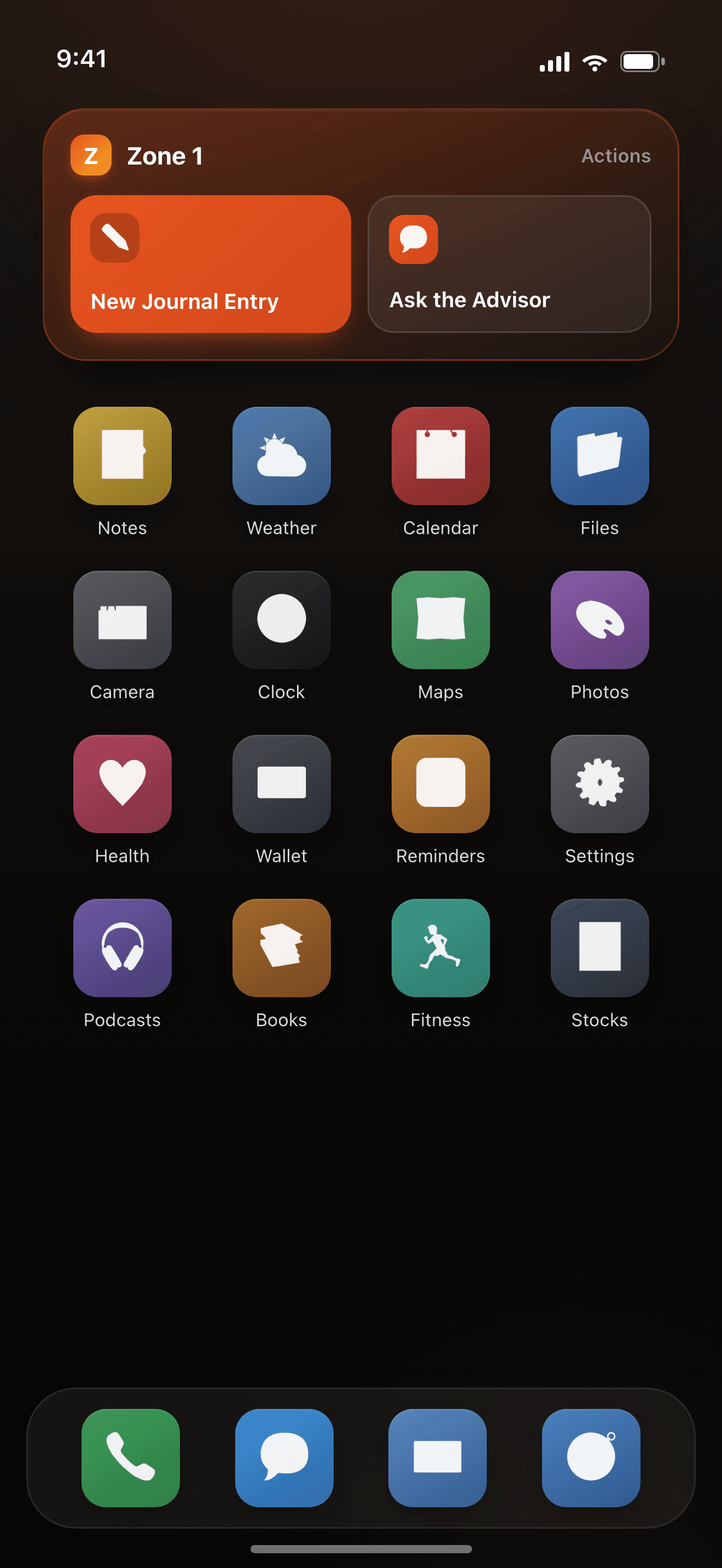
Recording that keeps going
Start a recording, then lock the screen or switch apps — it keeps going. Killed mid-take? The app recovers it.
Capture without signal
No service at the field? Record anyway. The take waits on your phone and uploads when you're back.
Share meeting notes
Text polished meeting notes to your staff with a public link — no login needed to read them. Attach photos and files to chats and entries.
The Action ButtoniPhone
Hold the button and Zone 1 opens straight into a journal entry, a meeting recording, or a new chat. The thought never gets away.
Widgets everywhereiPhone
Home Screen and Lock Screen widgets put recording one tap away. Control Center too.
Hands-free with SiriiPhone
“Hey Siri, start a journal entry in Zone 1.” Keep your eyes on the field and your hands where they are.
One account, two surfaces. Everything you capture on the phone is on the web when you sit down at your desk. More about the app.
A season generates a lot. Zone 1 keeps it in order.
Every conversation, entry, meeting, and document is saved, searchable, and organized — so what you built in August is still working for you in November.
Documents in folders. People on the roster.
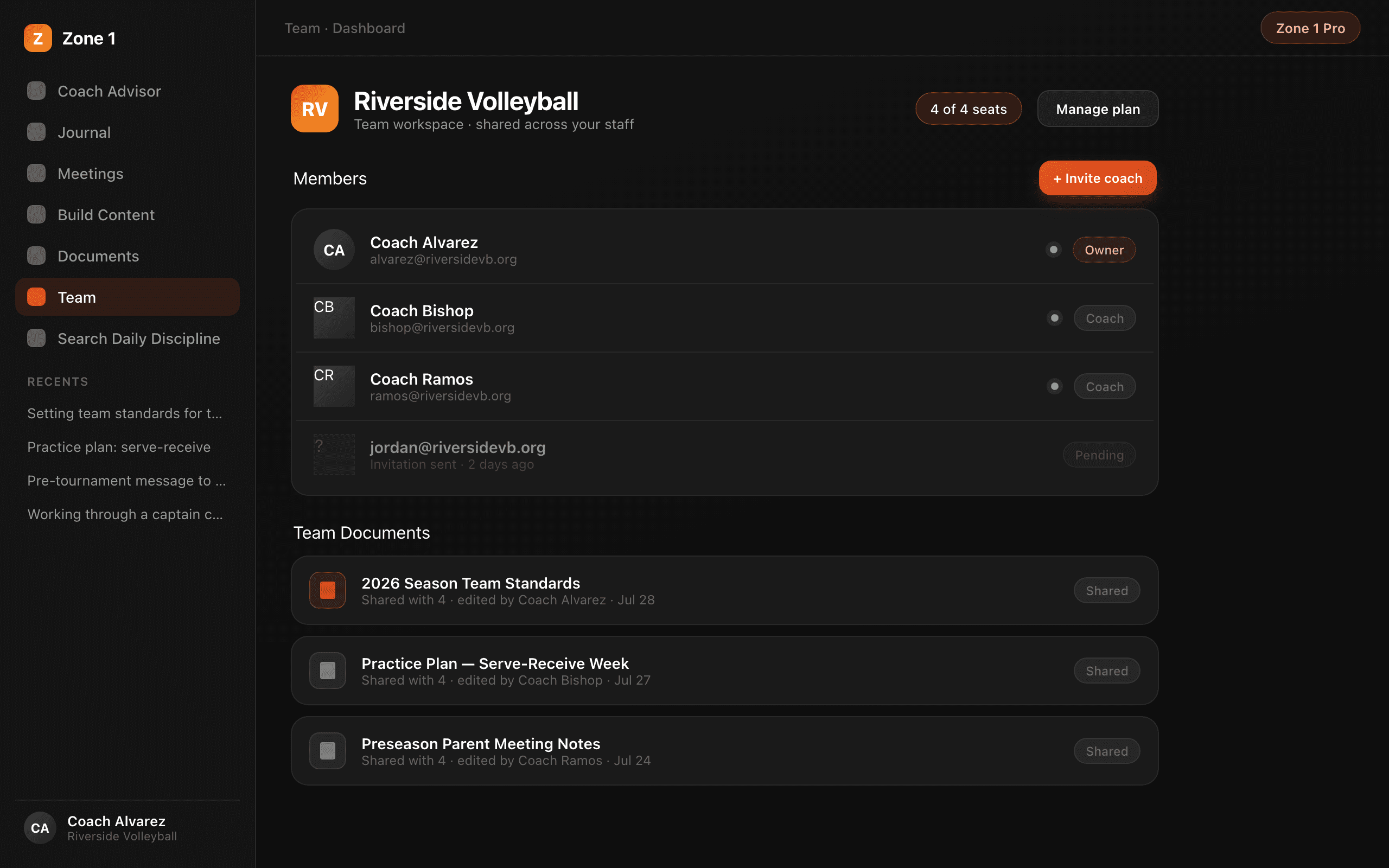
Folders & Auto-organize
Chats, journal entries, meetings, and documents each get their own folders. File things yourself, or use Auto-organize for clear matches from Unfiled. Your filing always wins.
Upload your materials
Add your playbook, culture doc, or handbook once. The Advisor and Build Content draw on your materials automatically.
Search Daily Discipline
Search 2,000+ of Brian Kight's Daily Discipline lessons, read any of them in full, and bring one straight into a chat — or build content from it.
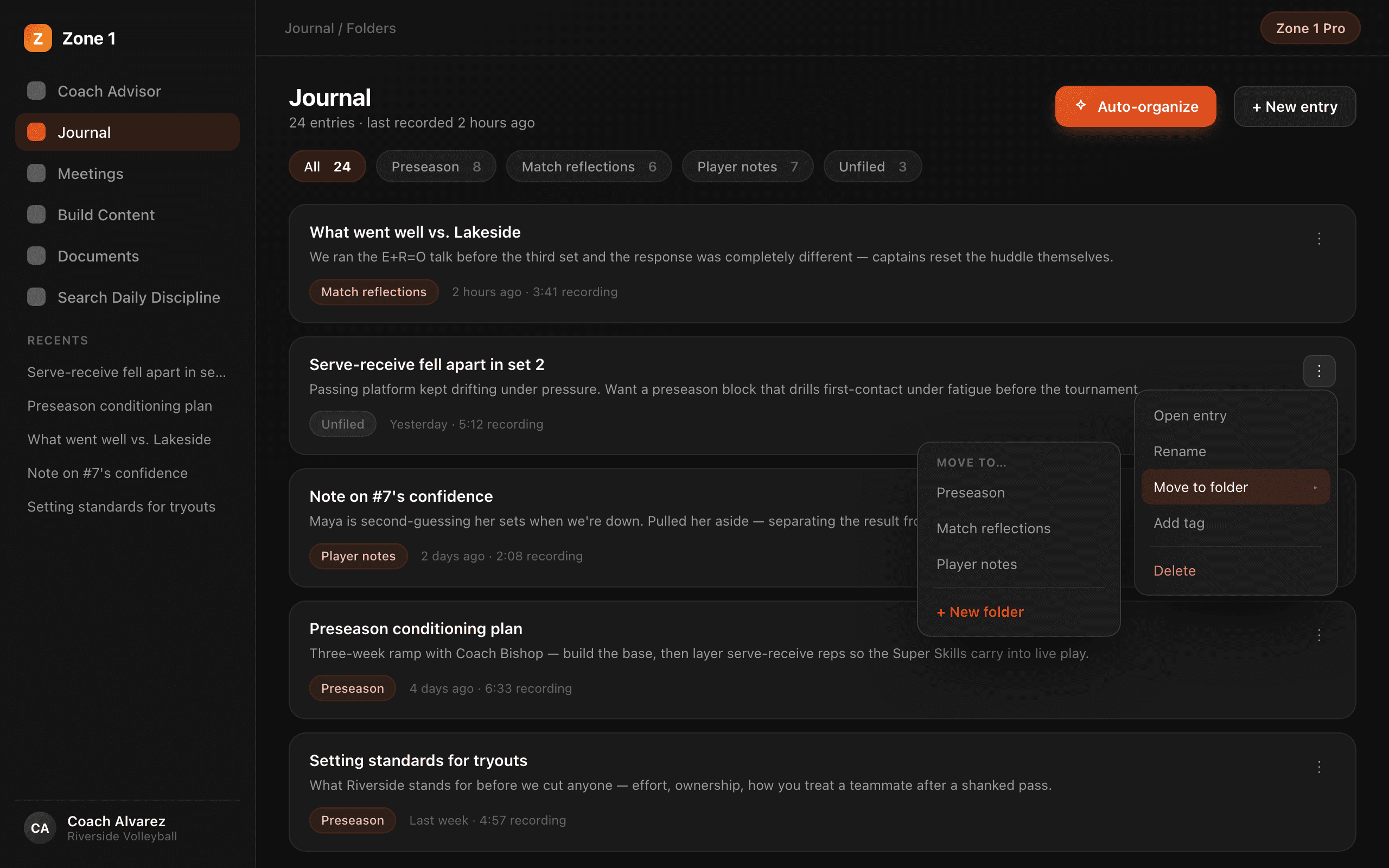
Put your whole staff in Zone 1.
One subscription — every coach on staff gets full Pro. Shared team documents keep everyone on the same page. Invite by email (paste the whole list at once) and manage roles, seats, and billing from one dashboard.
One shared roster for the whole staff. Your coordinator's meeting note and your journal note land on the same athlete's record — each with the coach's name on it.
Team covers 3 or more coaches, with every 5th seat free. Athletic departments run on custom pricing.
The middle feels safe. It isn't.
The crowded middle of the curve offers cover — less visibility, less criticism. It's also the most competitive place on the mountain, with the least margin and the least control. When change hits, the middle slides down.
Zone 1 costs more to reach and more to hold. It's also the safest place to be: fewer competitors, more margin, more control. Courage gets you there. Discipline keeps you there. That's the curve in our logo, lit like a sunrise — and that's the job this platform exists to do.
One system. Priced for how you coach.
Start free. Go Pro when you're ready. Bring your staff when it works.
Coach Free
Start here. Stay as long as you want.
- 5 Advisor prompts / day
- 7-day Journal + Meetings trial
- Full Coach Advisor access
- No credit card required
Coach Pro
The whole system, unlimited
- Unlimited Advisor conversations
- Coach Journal + Meetings
- Build Content + Edit Content
- Roster — your people, on the record
- Search 2,000+ Daily Discipline lessons
Team Pro
Your staff, one system
3+ coaches · every 5th seat free
- Every coach gets full Pro
- Shared team documents
- One shared roster for the whole staff
- Centralized billing
Athletic Department
The whole department
- Everything in Team Pro
- Department-scale seats
- Custom pricing
Start free. Stay because it works.
Coach Free gives you the Advisor at 5 prompts a day, plus a 7-day trial of the Journal and Meetings notetaker that starts the first time you hit record. Everything you capture stays yours.
Or get it on your phone — free to download.
Bringing a whole department? Talk to us.