Four tools. One disciplined system.
The Coach Advisor, the Coach Journal, Meetings, and Build Content — built on Brian Kight's coaching system, connected to each other, and available on the web plus the iPhone and Android apps.
The coach finally gets a coach.
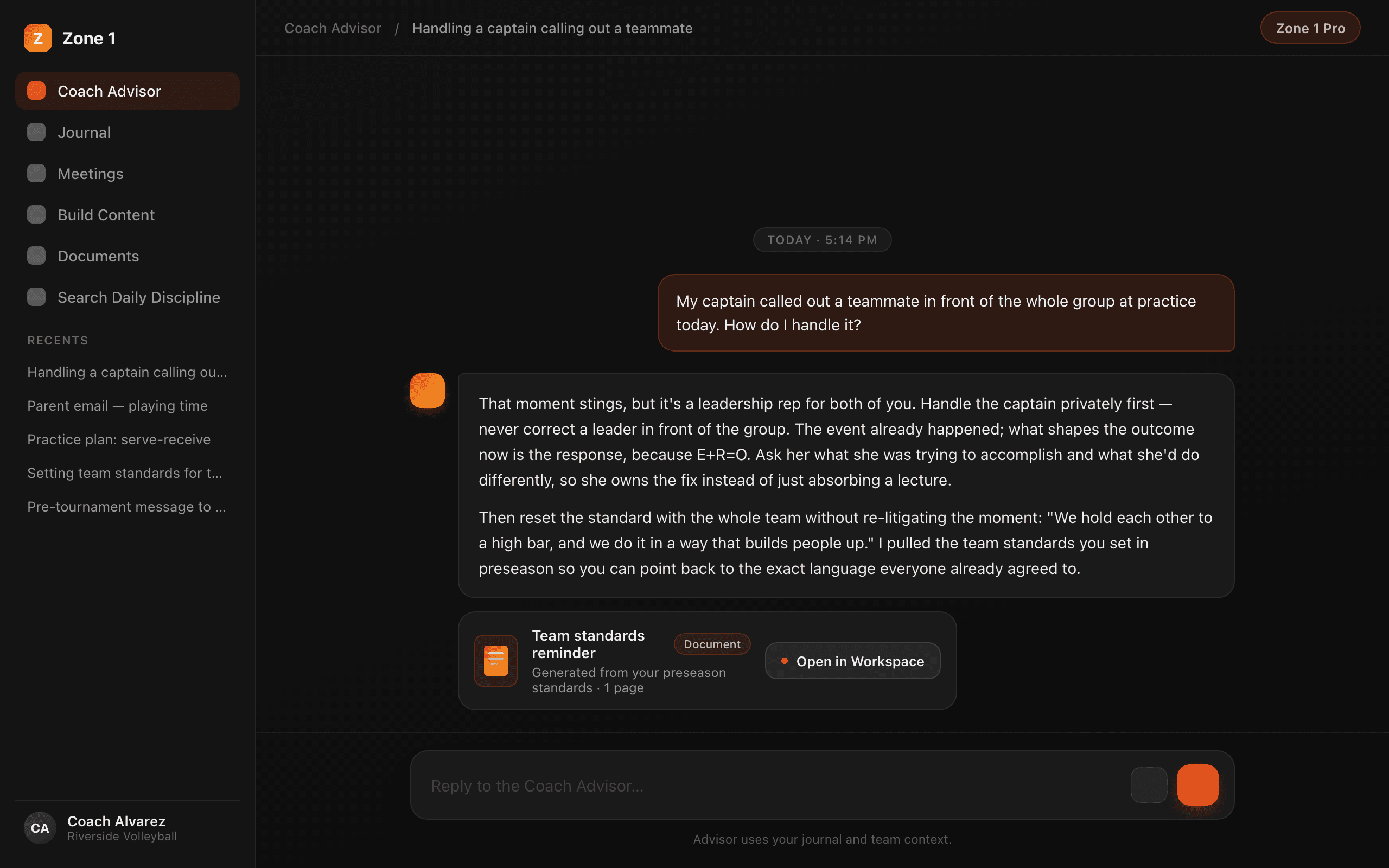
On call 24/7. Grounded in the system. It answers the question you actually asked — then helps you act on it.
Bring the real situation
A player issue, a parent email, a leadership call you have to make. Get specific, disciplined guidance grounded in E+R=O, the Super Skills, and 30+ years of Brian Kight's teaching.
It runs the platform for you
Ask for a document and it builds one. Ask it to log a note and it writes the journal entry. Ask it to search a lesson and it does. Results appear as cards in the chat.
Knows your program
Your sport, your team level, your culture — set once in onboarding and carried into every answer. Upload your own materials and it draws on those too.
Talk instead of type
Tap the mic on the web composer, say it, and the words land in the box. Start a chat from a journal entry or a Daily Discipline lesson and the Advisor already has the context.
Talk. It writes. Nothing gets lost.
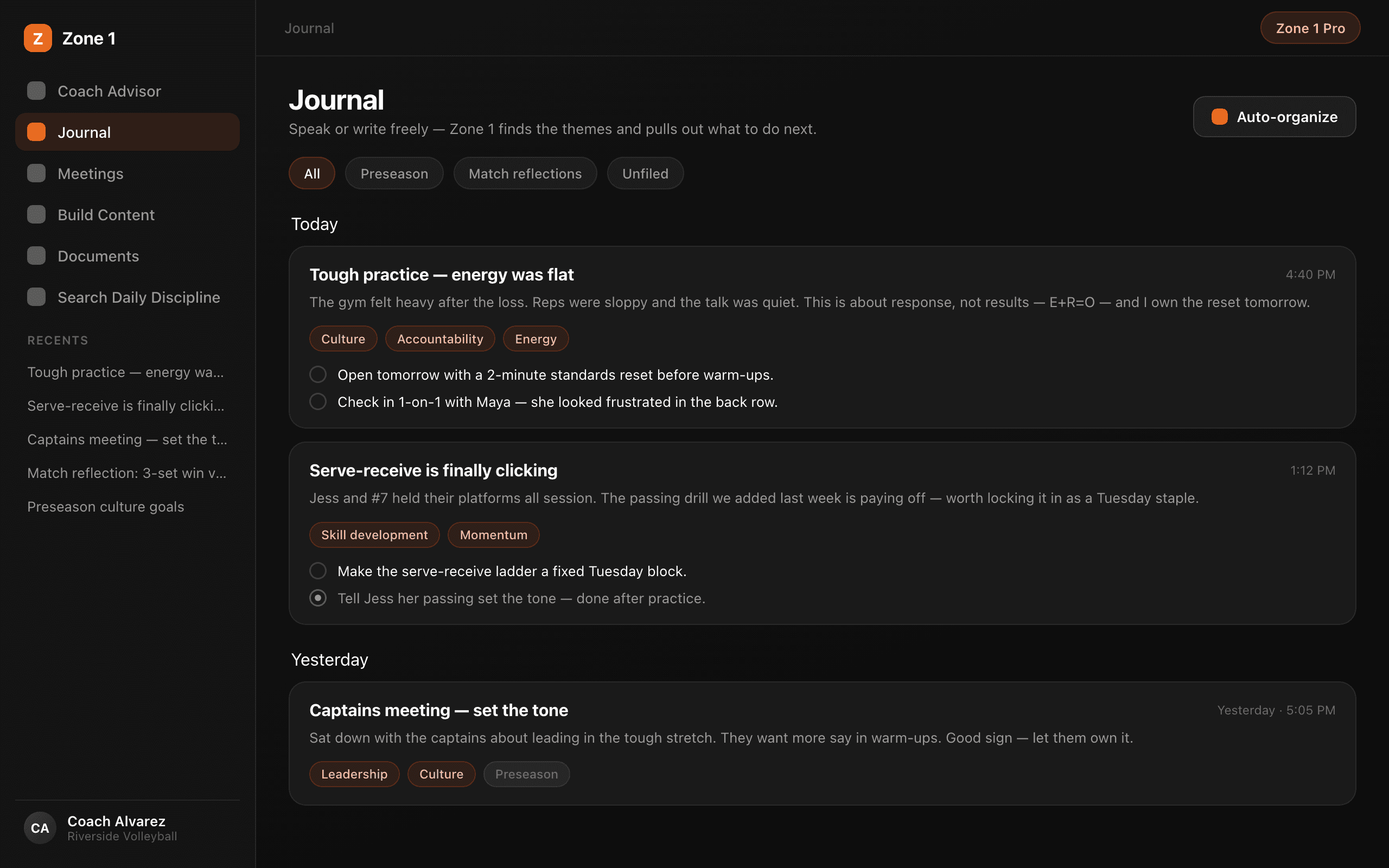
The discipline of capturing the real work — without the discipline of typing it up.
Record or type
Hit record and talk, or type a note when that's faster. Every entry gets a title, summary, themes, action items, and next steps — automatically.
Transcript becomes a document
The full transcript opens as an editable document in Edit Content. Fix it, build on it, export it.
Discuss it with the Advisor
One tap takes any entry into a conversation. The Advisor reads the entry first, so you skip the recap.
Organized by day and folder
Entries group by day. File them into folders, or use Auto-organize for clear matches — your filing always wins. If an entry looks like a meeting, Zone 1 suggests the move and you decide.
A recording that fails to send is not gone.
Journal entries and meetings run on the same rule: your words are saved before they're sent.
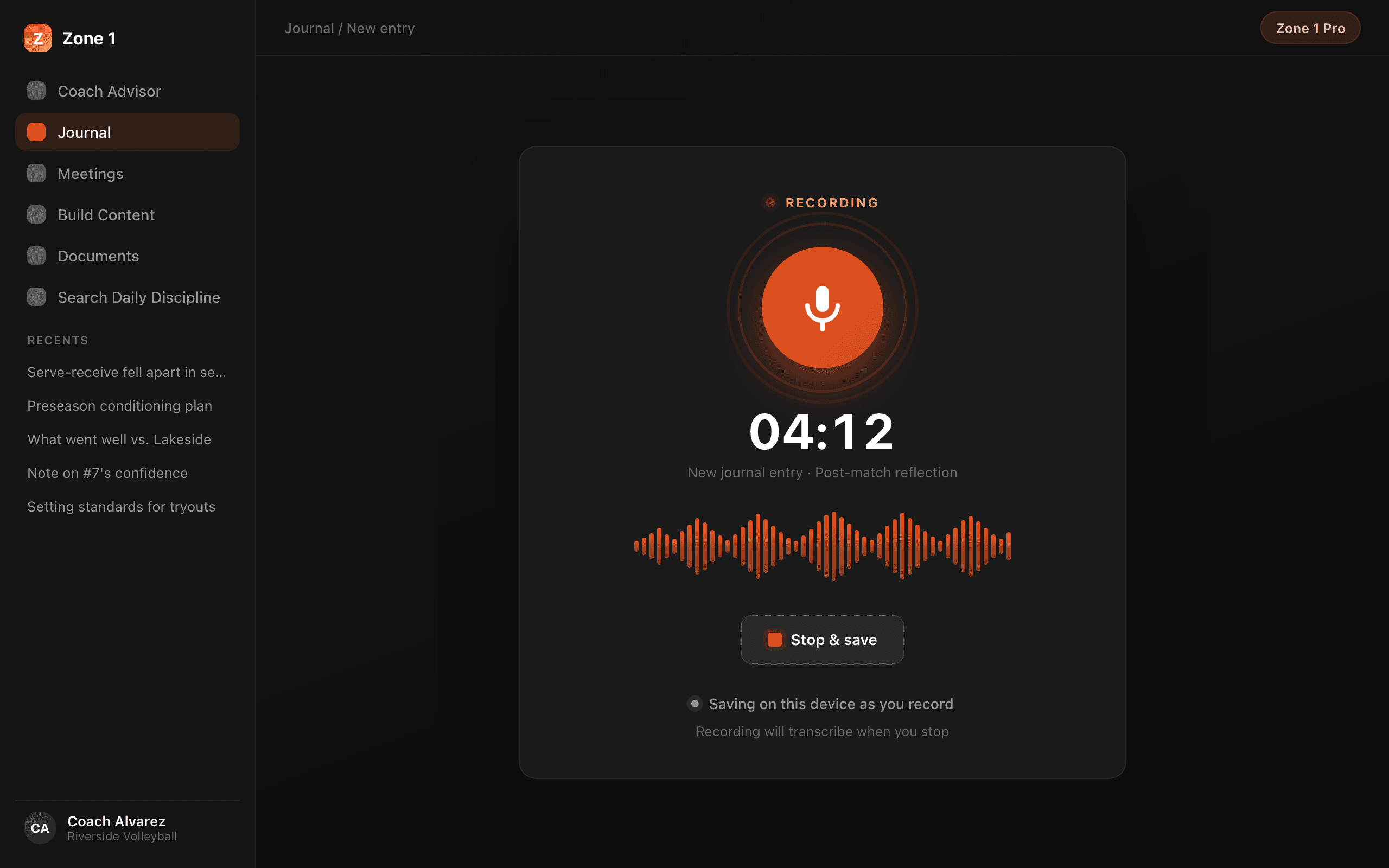
Saved as you record
On the web, recordings are written to your device roughly every minute while you're still talking — that's the “Saving on this device as you record” line under the recorder.
Retries until it lands
Connection drops? An amber banner lists the unsent recording with Retry and Discard. The newest take re-sends on its own when you're back online; older ones wait for your Retry — never as a duplicate.
Survives a crash
Tab crashed or closed mid-take? Reopen Journal or Meetings on the same device and recover what was captured. In the phone app, recordings survive a killed app and even a dead battery.
What got said becomes what gets done.
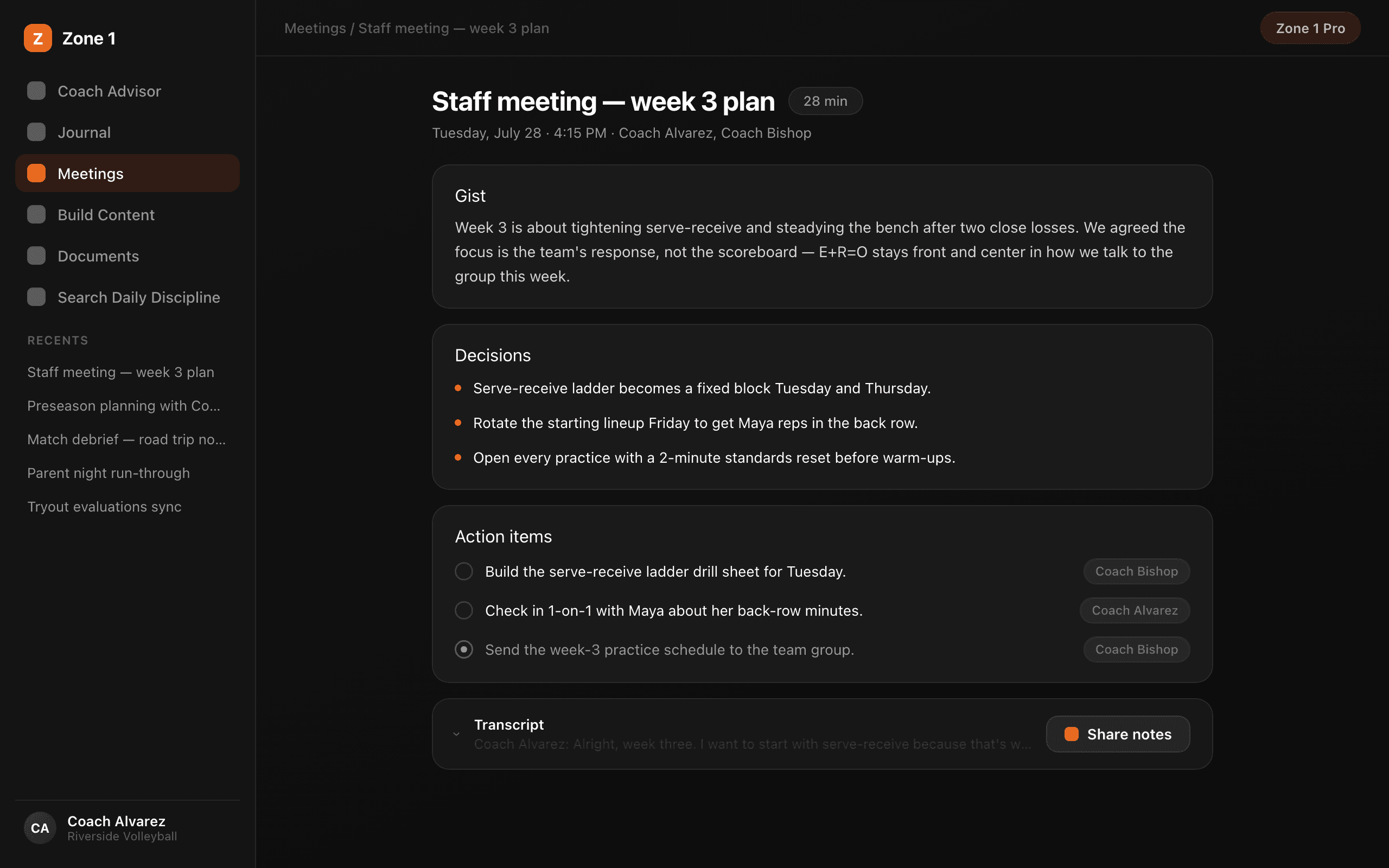
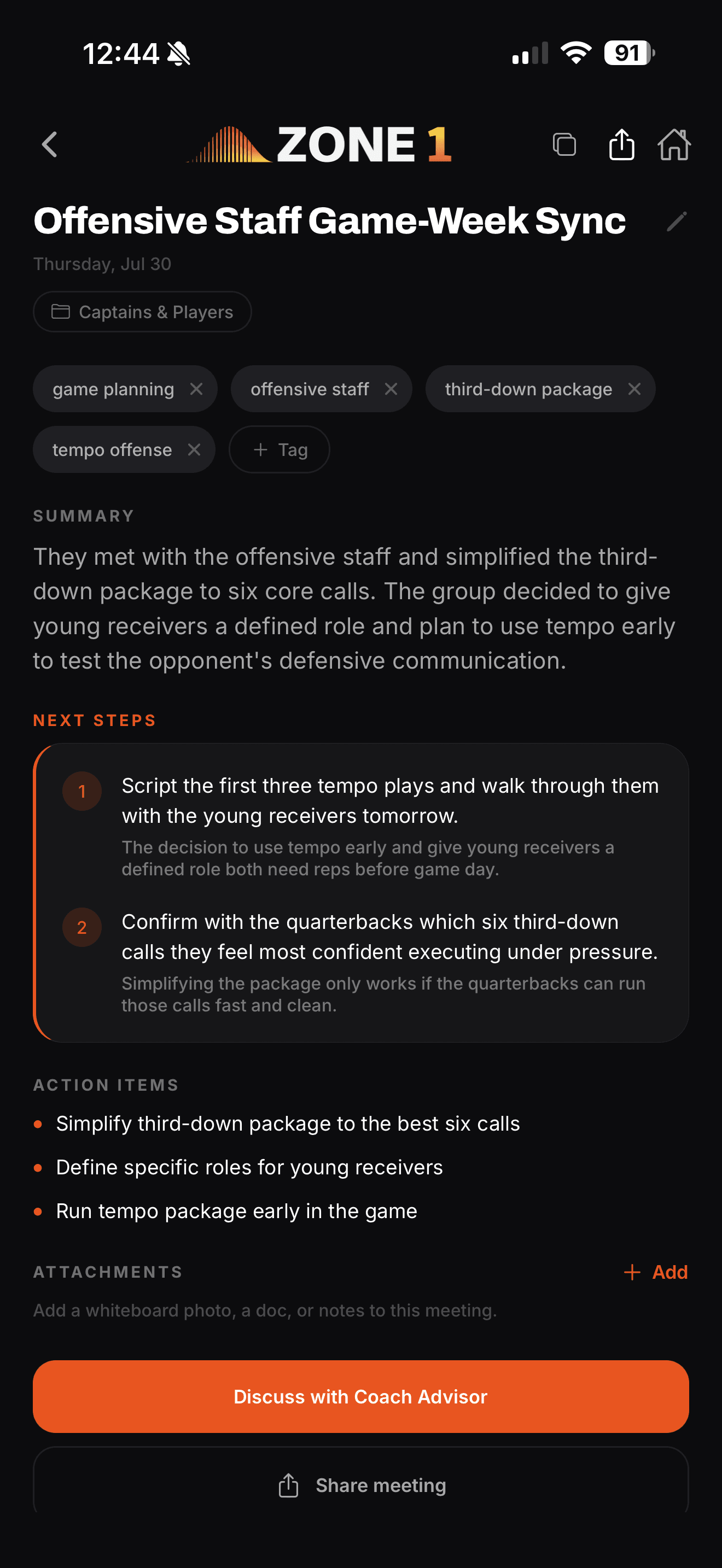
Your meetings, on the record: transcript, gist, decisions, action items.
Record the real meeting
Staff meetings, one-on-ones, film sessions. Same capture engine as the Journal — long recordings process in the background while you move on.
Decisions and action items
Every meeting comes back with the full transcript plus the gist, the decisions made, and who owes what.
Shareable notes
From the phone app, mint a public notes link and send it by text or email — anyone can read it in a browser, no login.
Follow up with the Advisor
Bring a meeting into a chat and work the follow-through: the hard conversation it surfaced, the plan it requires.
Your standard, in writing, in minutes.
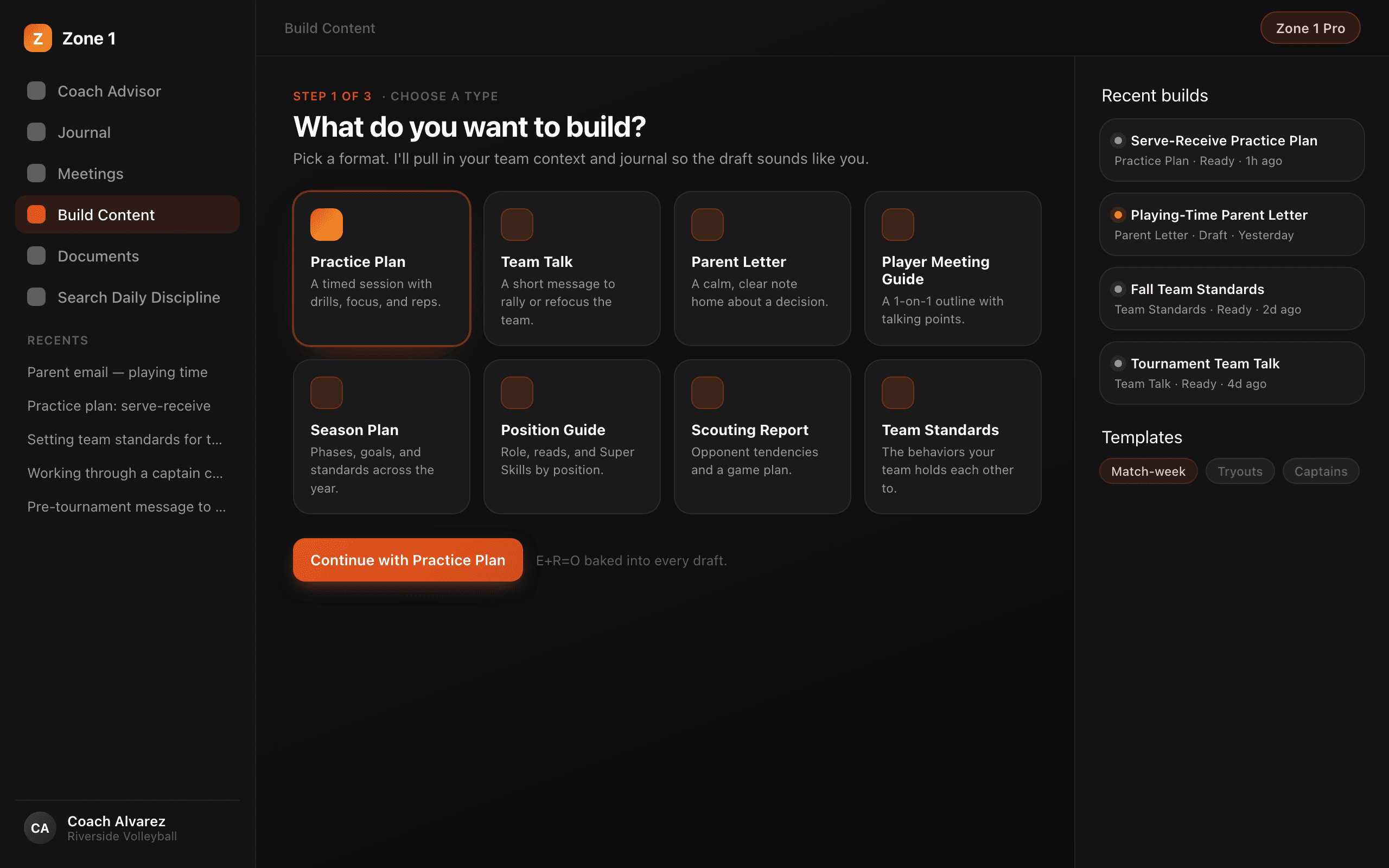
Describe what you need. Get a complete, formatted document your program can run on.
8 document types
Curriculum (1–12 lessons), team meetings, staff meetings, practice & game messaging, one-on-one guides, captains & leaders plans, parent letters, and custom documents.
Start from a framework
Build from a topic, or start from one of BK's frameworks — E+R=O, Super Skills, Team Clarity, and more — and the document carries the teaching.
Ready-to-use files
A curriculum arrives as four files: PDF, Word, slides, and a worksheet. Built in about one to three minutes.
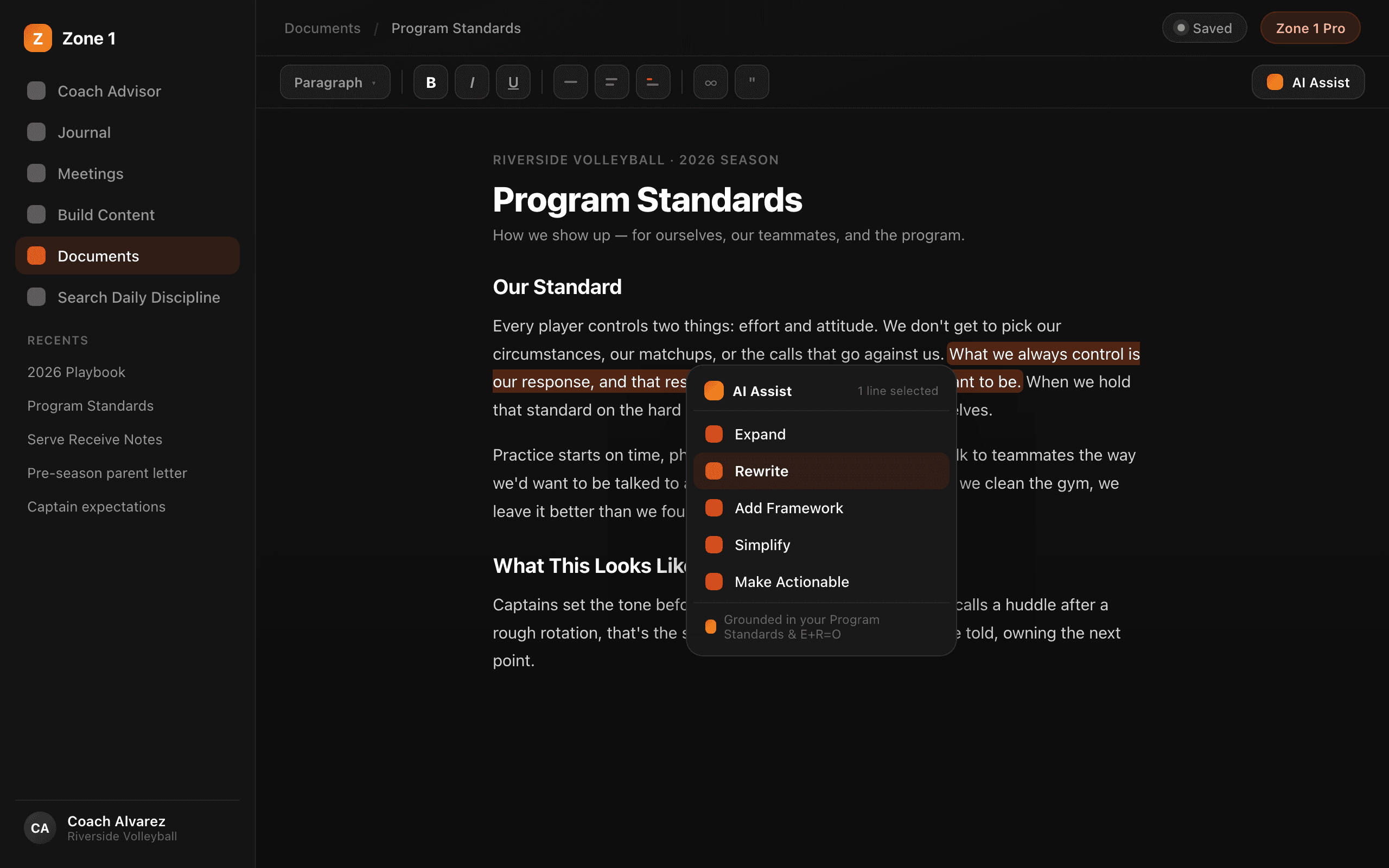
Edit Content workspace
Full rich-text editor with AI actions on any selection: Expand, Rewrite, Add Framework, Simplify, Make Actionable. Slide-deck editor included. Export PDF, Word, Markdown, or PowerPoint. Import your own files.
Your people, on the record.
Import your roster once. From then on your notes file themselves to the right athlete, and the Advisor answers like it was standing at practice. Included with Coach Pro.
Every person gets a record
Athletes, staff, and teams are built in — add your own tabs for recruits or parents, and your own fields, eleven types, from Hometown to a Yes/No. Athletes never get accounts and never see a thing.
Import from a spreadsheet
Drop the CSV or Excel file you already have — up to 10MB and 2,000 rows. Map the columns once, choose what happens when a name already exists, and each accepted row creates or updates a record. Every import is logged.
Notes file themselves
The Journal and Meetings hear the names in your notes and file each note to the right record. Sure matches link instantly; uncertain ones wait in one inbox for your call — and history sync catches up on past Journal, Meeting, and Advisor work.
Ask about anyone by name
Ask the Coach Advisor about anyone on your roster. It pulls the record and the recent notes before it answers, so a one-on-one starts prepared instead of from memory.
The fastest way from thought to captured.
The web app is the full desk — every feature lives there. The phone app is the capture surface, with phone-only powers the web can't have.


Background recording
Start a recording, then lock the screen or switch apps — it keeps going. If the app is killed mid-take, the next open recovers what you captured.
Offline capture
Record with no signal. The take stays on your phone and uploads when you're back in range. Retrying never creates duplicates.
Attachments and sharing
Photos, camera shots, and files attached to chats and entries. Meeting notes shared as a public link by text or email.
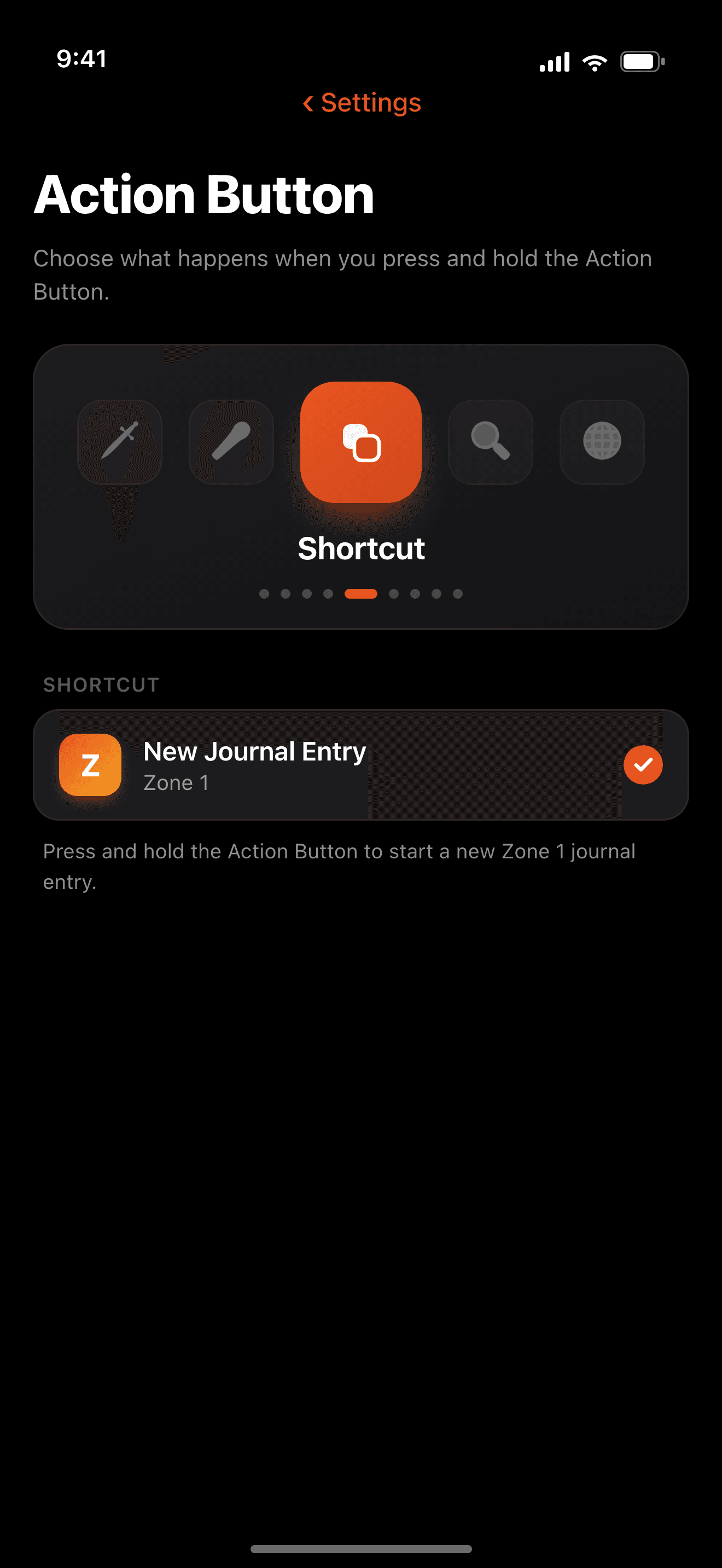
One press to recordiPhone
Set the Action Button or use Control Center to jump straight into a journal entry, a meeting recording, or a new chat — and Home Screen and Lock Screen widgets open recording and chat in one tap. Siri works too.
The rest of the system.
Everything that keeps four tools working as one platform.
Folders & Auto-organize
Chats, journal entries, meetings, and documents each get their own folders with an Unfiled view. Auto-organize handles clear matches — and never overrides anything you placed yourself.
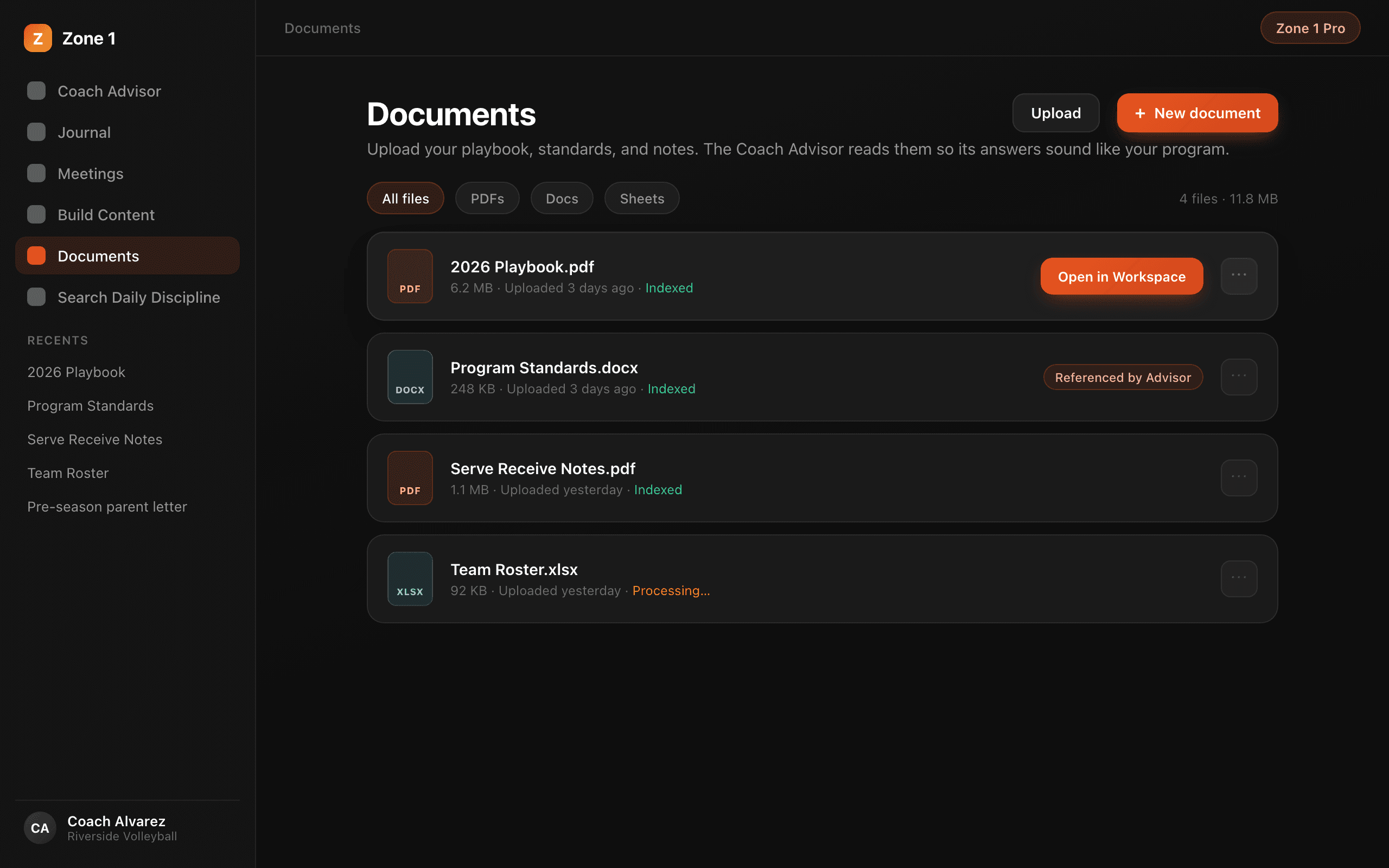
Upload Documents
Your reference library. Upload playbooks, culture docs, and handbooks (PDF, Word, PowerPoint, text) — the Advisor and Build Content use them as context. Open any upload as an editable document.
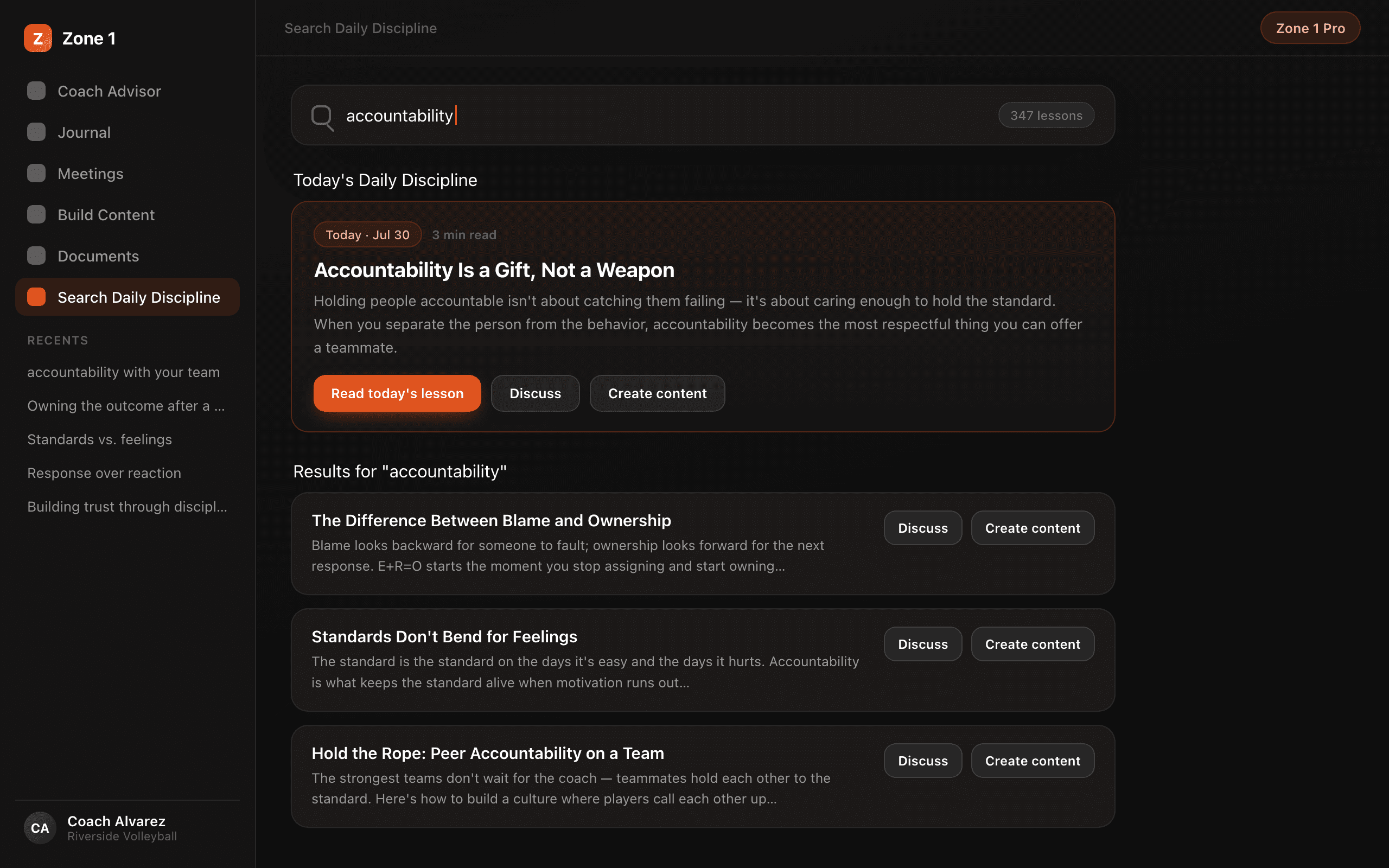
Search Daily Discipline
Full search across 2,000+ of Brian Kight's Daily Discipline lessons. Read any lesson in full, discuss it with the Advisor, or build content straight from it. Today's lesson is waiting at the top.
Team plans
One subscription for the staff: every coach gets full Pro, plus shared team documents, bulk email invites, roles, and centralized billing. Every 5th seat is free.
Learn & Get Help
Fast-start guides, a help chat that teaches you the tool, and a support chat that can file a ticket for you mid-conversation. Help chats are free and never count against your daily prompts.
The web is the desk. The phone is the capture.
Everything you capture or build shows up in both places. Here's what lives where.
| Capability | Web app | iPhone | Android |
|---|---|---|---|
| Advisor chat, Journal, Meetings, Search Daily Discipline | Yes | Yes | Yes |
| Build Content menu, rich-text editing, slide decks, exports & imports | Yes | Ask the Advisor in chat; simple editor | Ask the Advisor in chat; simple editor |
| Roster — records, spreadsheet imports, notes that file themselves | Yes | On the web today | On the web today |
| Folders & Auto-organize — chats, journal, meetings | Yes | Yes | Yes |
| Upload Documents, Team management, billing | Yes | On the web | On the web |
| Background & offline recording, photo/file attachments, meeting note sharing | Recording only, in the browser | Yes | Yes |
| Action Button, Home & Lock Screen widgets, Siri | — | Yes | — |
Put the system to work.
Start free: 5 Advisor prompts a day, plus a 7-day Journal and Meetings trial that begins the first time you record. No credit card required.